


Font size options
Increase or decrease the font size for this website by clicking on the 'A's.


Contrast options
Choose a color combination to give the most comfortable
contrast.
Are you ready to learn more about computers? This series of classes is designed for adults who are new to computers. We’ll guide you through the essential skills you need to get started with computers. Discover resources to help you feel more confident and ready to explore the digital world.
Join the Tech Learning Team for a beginner friendly series.
We have crafted exercises for you to begin building skills that are important for opening programs, using websites, and completing everyday tasks on a computer. Each session will introduce simple, practical skills to help you become more comfortable with technology—whether for personal use, job searching, or staying connected online.
Week 1 : Hardware, Software, & Peripherals
We help you identify the parts of a computer and introduce hands-on activities to improve skills with the mouse.
Week 2: Interfaces & Windows 11 Navigation
We will discover typing resources for use in class that you can continue with on your own and finish our introduction from Week 1 with a discussion about interfaces and Windows 11 navigation.
Week 3: Accessibility Sessions & Open Lab
Our final week will cover accessibility settings in your Windows computer and we encourage you to bring your own devices for assistance customizing your settings. Additional time can be used to practice on-your-own resources from earlier sessions.
Each week has a separate session that you can register for. See calendar for more details about times, dates, and locations.
This program is made possible by the Indianapolis Public Library Foundation.
AGE GROUP: | Seniors | Adults |
EVENT TYPE: | Computer/Technology | Class/Workshop |
TAGS: | Tech Skills | Tech Learning Team | Seniors | Computer classes | Computer Basics | Computer / Technology | Adults |
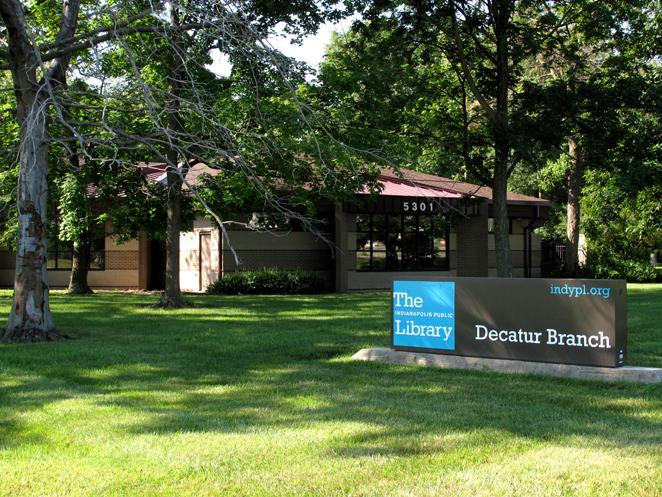
Decatur was the first township outside of Center Township to receive a branch library when the Marwood Branch opened in 1967 in a storefront location. Strong library usage throughout the township demonstrated the need for a new 11,300-square-foot branch that opened on Kentucky Avenue in 1990 as the Decatur Branch and continues to serve the community today.
