


Font size options
Increase or decrease the font size for this website by clicking on the 'A's.


Contrast options
Choose a color combination to give the most comfortable
contrast.
Get started with Google Docs! In this beginner-friendly series, you’ll learn how to create, edit, and format documents that can be saved in the cloud for use anywhere with a wi-fi connection.
Google Docs is a free word processing program that is available for free with a Google account. Each class will have exercises to help you reinforce each skill covered, as well as helpful tips on how to use the program in everyday life.
A google account is required for use in this class.
Week 1: Layout, Navigation, and Formatting Text
Explore Google Doc's interface, learn the basic terminology of Google Docs, and discover how to create, format, and save text in Docs files.
Week 2: Lists, Images, and Page Layouts
Explore how to add emphasis and create interesting document layouts using formatting such as bullet points, page layouts, and more.
Week 3: Tables, Collaboration Tools, and Sharing
Discover how to insert visual elements such as tables and effectively use sharing and collaboration tools.
Each week has a separate session that you can register for. See calendar for more details about times, dates, and locations.
This program is made possible by the Indianapolis Public Library Foundation.
AGE GROUP: | Seniors | Adults |
EVENT TYPE: | Computer/Technology | Class/Workshop |
TAGS: | Tech Skills | Tech Learning Team | Digital Literacy | Computer/Technology | Computer classes | Computer Basics | Computer / Technology | Adults | Adult | #google | #computer skills | #Adult |
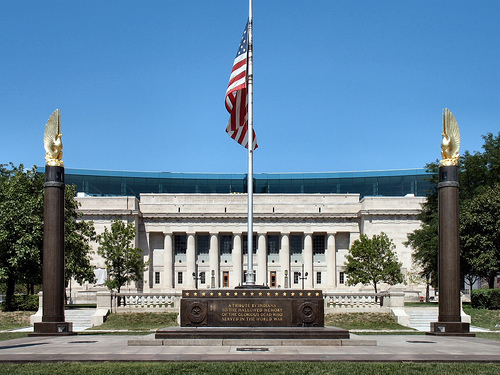
As the hub of the Indianapolis Public Library system, Central Library showcases renowned architecture and services. The original 1917 building, designed by Paul Cret and constructed of Indiana limestone in the Greek Doric style, was considered one of the most outstanding secular buildings in the U.S. Its six-story glass and steel-framed addition, designed by Evans Woollen, opened in 2007.
