


Font size options
Increase or decrease the font size for this website by clicking on the 'A's.


Contrast options
Choose a color combination to give the most comfortable
contrast.
Explore workbooks with Excel! Join the Tech Learning Team in this beginner friendly series of classes that are designed to introduce creating, editing, and formatting spreadsheets. You are encouraged to attend all three sessions but may choose to join us for any single session if you wish.
Helpful exercises to reinforce learning will be included in each class.
Microsoft Excel, Week 3: Working with Data - Filter and Sort
Discover the basics of how to use Excel to effectively display, sort, and analyze data. Understanding of Weeks 1 and 2 content is required for this session.
You must be comfortable using a mouse (clicking, double-clicking, and right clicking with accuracy), typing with a keyboard, and navigating to websites to successfully complete these classes. Participants may also benefit from pre-requisite knowledge of OneDrive; You are encouraged to explore the free set of lessons on OneDrive linked here from GCFGlobal.
Each week has a separate session that you can register for. If you missed week 1 or 2, See calendar for more details about times, dates, and locations.
This program is made possible by The Indianapolis Public Library Foundation.
AGE GROUP: | Seniors | Adults |
EVENT TYPE: | Computer/Technology | Class/Workshop |
TAGS: | Tech Learning Team | online program | Digital Literacy | Computer/Technology | Computer classes | Adult |
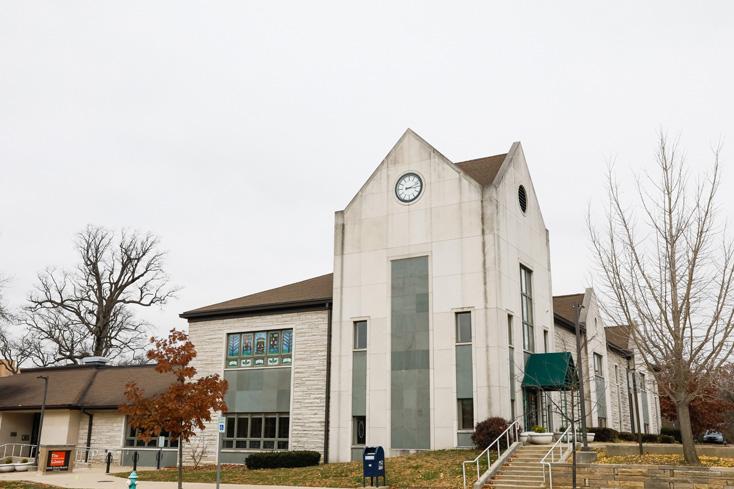
The Beech Grove Public Library has served the City of Beech Grove since 1951 when it opened at a storefront location. Its current building, dating back to 1953, has undergone four renovations and additions, the most recent in 2019. In 2016, the library merged with The Indianapolis Public Library to become the Beech Grove Branch, IndyPL’s 23rd branch location.
