


Font size options
Increase or decrease the font size for this website by clicking on the 'A's.


Contrast options
Choose a color combination to give the most comfortable
contrast.
Curating your browsing experience! Learn key terms and how computers connect to the internet. We will explore browsers, bookmark management, and more in this series that is perfect to help you build a solid foundation for using the web in everyday life.
Make your internet searches more effective and learn practical tips to find what you're looking for faster. Learn to use links, read internet addresses, and search the web. You must be experienced using a mouse and keyboard for this class.
The Internet Toolkit, Week 3: Browser Customization & Your Digital Footprint
Customize your browser with extensions and themes, learn how to print from the internet, and consider how your digital footprint is created and what that means for your privacy.
Each week has a separate session that you can register for. If you missed week 1 or week 2, see the calendar for more details about times, dates, and locations.
This program is made possible by The Indianapolis Public Library Foundation.
AGE GROUP: | Seniors | Adults |
EVENT TYPE: | Computer/Technology | Class/Workshop |
TAGS: | Tech Learning Team | Seniors | Digital Literacy | Computer classes | Computer / Technology | Adult |
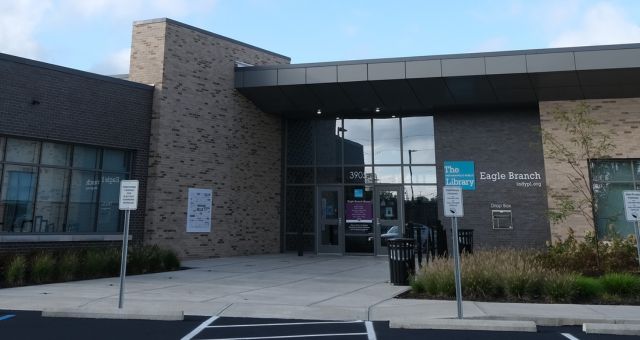
In 1960, after residents petitioned for a permanent library, a storefront branch opened at 30th Street and Lafayette Road, the first branch in the system to be located in a shopping center. A stand-alone facility at 3325 Lowry Road opened in 1970 with 12,000 square feet. On June 1, 2019 the Lowry Road facility was replaced by a new 20,000-square-foot building at 3905 Moller Road.
