


Font size options
Increase or decrease the font size for this website by clicking on the 'A's.


Contrast options
Choose a color combination to give the most comfortable
contrast.
Get started with Google! Google offers so much more than just email. Learn how to use your Gmail account to access the Google App Suite. Easily connect dates, reminders, and photos with others and learn how to use these tools to simplify your life.
Join us for this 4-week Series! We will introduce Google Drive, Sheets, Docs, Photos, Calendar, Passwords, Tasks, and Keep. Beginner friendly exercises will include creating demo files that will be automatically saved to your account so you can keep them for reference later.
A Google account is required.
Week 4: Calendar, Tasks, Keep, & Passwords
We will demonstrate how to make a shared family calendar in Google Calendar, how to use Tasks & Keep for notes and tasks, and show you how to access Google Passwords so you can more easily find your passwords later.
Each week has a separate session that you can register for. See calendar for more details about times, dates, and locations.
This program is made possible by The Indianapolis Public Library Foundation.
AGE GROUP: | Seniors | Adults |
EVENT TYPE: | Computer/Technology | Class/Workshop |
TAGS: | Tech Learning Team | Senior Tech Academy | Senior Citizens | Senior | Digital Literacy | Computer/Technology | Computer classes | Computer Basics | Computer / Technology | Class | Caregiver | Aging | Adults | Adult | #tech | #computer skills |
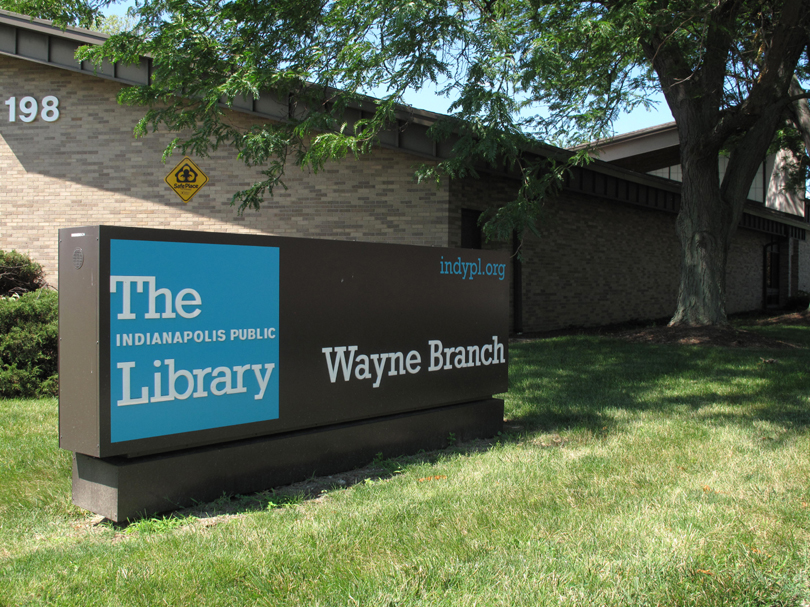
The Wayne Branch Library first opened in December of 1969 in a shopping center located at 7341 Rockville Road. Due to high demand, the storefront space was enlarged in 1973, but the need for more space was evident. A permanent 13,500 square foot location opened in 1984, and the branch remains in that same building today. The Wayne Branch underwent a $1.1 million renovation in 2020 to add more seating and activity space, study rooms, and a quiet reading area, but still features the split design of a separate children's and adult wing.
