Register 10 Seats Remaining
Microsoft Powerpoint Series
Week 1 of 3
Monday, November 23
2:00pm - 4:00pm
Turn ideas into stand-out slides! Build engaging slides by adding text, images, and other visual elements. Whether you're new to PowerPoint or looking to sharpen your skills, this session will help you present with clarity and confidence.
In this series, you'll learn key terminology, the interface, and practice creating and saving presentation files.
Powerpoint Series, Week 1: Layout, Navigation, and Files
Explore PowerPoint Online's interface, learn the basic terminology for PowerPoint presentations, and discover how to create and save PowerPoint files.
Powerpoint Series, Week 2: Managing Text & Images, and Customizing Slides
Explore how to build presentation content by adding and editing elements such as text and images.
Powerpoint Series, Week 3: Adding Animations and Multimedia
Prepare for presenting in front of an audience by applying visually interesting animations, adding multimedia content, and selecting the best presentation options for your needs.
Each week has a separate session that you can register for. If you missed week 1, see the calendar for more details about times, dates, and locations.
This program is made possible by The Indianapolis Public Library Foundation.
AGE GROUP: | Seniors | Educators | Adults |
EVENT TYPE: | Computer/Technology | Class/Workshop |
TAGS: | Tech Learning Team | Northstar Digital Literacy | Microsoft PowerPoint | Digital Literacy | Digital Creativity | computer skills | Computer classes | Computer Basics | Computer / Technology |
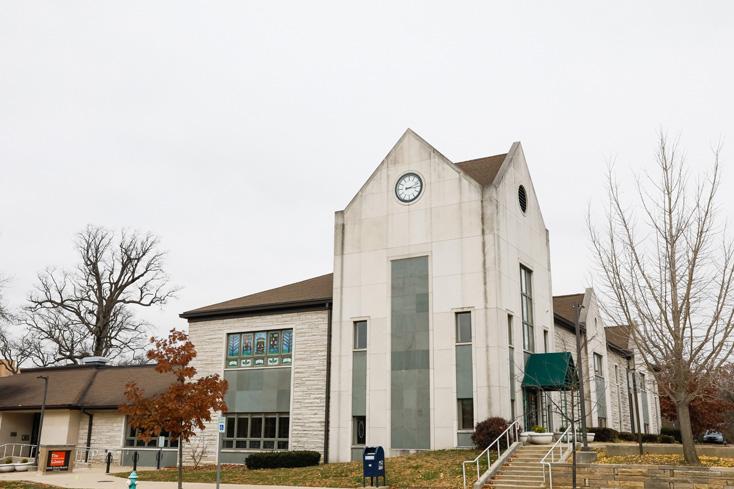
Beech Grove Branch
The Beech Grove Public Library has served the City of Beech Grove since 1951 when it opened at a storefront location. Its current building, dating back to 1953, has undergone four renovations and additions, the most recent in 2019. In 2016, the library merged with The Indianapolis Public Library to become the Beech Grove Branch, IndyPL’s 23rd branch location.