Font size options
Increase or decrease the font size for this website by clicking on the 'A's.
Contrast options
Choose a color combination to give the most comfortable contrast.
Image for event: Introduction to Microsoft Excel

Registration now closed

Introduction to Microsoft Excel

2024-07-29 17:30:00 2024-07-29 19:30:00 America/Indiana/Indianapolis Introduction to Microsoft Excel Learn how to create spreadsheets with Microsoft Excel Online, the free online version of Excel. Join us for a three-part introduction to Excel Online. Level 1 - Layout, Navigation, and Files. Level 2 - Formula Basics and Formatting. Level 3 - Working with Data - Filter and Sort. College Avenue Branch -

Monday, July 29
5:30pm - 7:30pm

Learn how to create spreadsheets with Microsoft Excel Online, the free online version of Excel. Join us for a three-part introduction to Excel Online. Level 1 - Layout, Navigation, and Files. Level 2 - Formula Basics and Formatting. Level 3 - Working with Data - Filter and Sort.

Join the Tech Learning Team for this series which will demonstrate all the skills needed to use Excel in a Chrome web browser on Windows 10. You are encouraged to attend all three sessions but may choose to join us for any single session if you wish.

You must be comfortable using a mouse (clicking, double-clicking, and right clicking with accuracy), typing with a keyboard, and navigating to websites to successfully complete these classes. Participants may also benefit from pre-requisite knowledge of OneDrive; You are encouraged to explore the free set of lessons on OneDrive linked here from GCFLearnFree.

Level 1 - Monday July 15, 5:30 - 7:30 p.m.
Layout, Navigation, and Files
Explore Microsoft Excel Online, the free online version of Excel, learn the basic terminology for Excel projects; and discover how to create, save, and collaborate in Excel files.

Level 2 - Monday July 22, 5:30 - 7:30 p.m.
Formula Basics and Formatting
Explore built-in functions to quickly perform calculations or analyze data. Discover tips for formatting workbooks to effectively display its contents. Understanding of Level 1 content is required for this session.

Level 3 - Monday July 29, 5:30 - 7:30 p.m.
Working with Data - Filter and Sort 
Discover the basics of how to use Excel to effectively display, sort, and analyze data. Understanding of Level 1 and 2 content is required for this session.

Made possible by The Indianapolis Public Library Foundation.

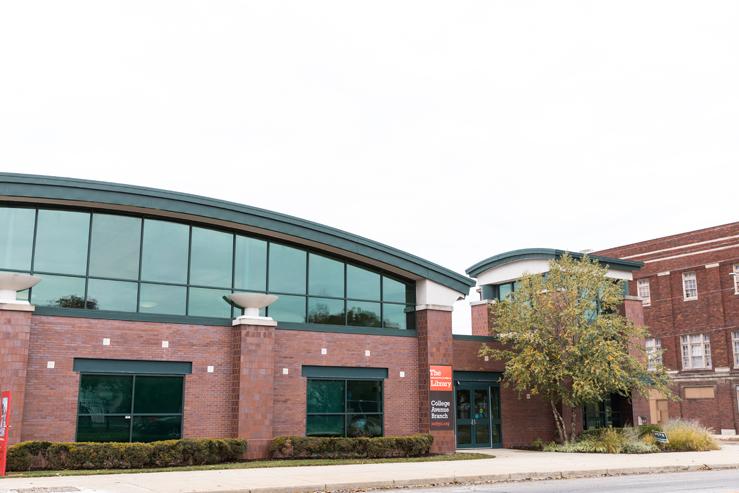
College Avenue Branch

Phone: 317-275-4320

Hours
Skip opening hours widget
Mon, Aug 10 10:00AM to 8:00PM
Tue, Aug 11 10:00AM to 8:00PM
Wed, Aug 12 10:00AM to 6:00PM
Thu, Aug 13 10:00AM to 6:00PM
Fri, Aug 14 10:00AM to 6:00PM
Sat, Aug 15 10:00AM to 5:00PM
Sun, Aug 16 Closed

About the branch

Established as the Broadway Branch in 1924, the library served the neighborhood from a frame house on E. 42nd Street until 1958 when a 6,500-square-foot facility opened on Broadway Street. This aging and overcrowded building was replaced in August 2000 with the current 16,000-square-foot structure on College Avenue that was renamed the College Avenue Branch.

Upcoming events

Skip Branch Events widget
Wed, Aug 12, 4:30pm - 5:30pm

Fri, Aug 14, 10:30am - 11:30am

Sat, Aug 15, 12:00pm - 3:00pm

Sat, Aug 15, 2:00pm - 5:00pm

Mon, Aug 17, 10:30am - 12:30pm
This event is full

Tue, Aug 18, 12:00pm - 2:00pm

Tue, Aug 18, 4:30pm - 6:00pm

Fri, Aug 21, 10:30am - 11:30am

Sat, Aug 22, 11:00am - 1:00pm

Sat, Aug 22, 2:00pm - 5:00pm

Mon, Aug 24, 6:00pm - 7:30pm

Mon, Aug 24, 6:00pm - 7:30pm

Tue, Aug 25, 4:30pm - 6:00pm

Wed, Aug 26, 4:30pm - 5:30pm

Fri, Aug 28, 10:30am - 11:30am

Sat, Aug 29, 2:00pm - 5:00pm

Mon, Aug 31, 6:00pm - 7:30pm

Tue, Sep 01, 12:00pm - 2:00pm

Fri, Sep 04, 10:30am - 11:30am

Sat, Sep 05, 2:00pm - 5:00pm

Tue, Sep 08, 6:00pm - 7:00pm
This event is full

Tue, Sep 08, 6:00pm - 7:30pm

Fri, Sep 11, 10:30am - 11:30am