


Font size options
Increase or decrease the font size for this website by clicking on the 'A's.


Contrast options
Choose a color combination to give the most comfortable
contrast.
Get started with Google Docs! In this beginner-friendly series, you’ll learn how to create, edit, and format documents that can be saved in the cloud for use anywhere with a wi-fi connection.
Google Docs is a free word processing program that is available for free with a Google account. Each class will have exercises to help you reinforce each skill covered, as well as helpful tips on how to use the program in everyday life.
A google account is required for use in this class.
Week 1: Layout, Navigation, and Formatting Text
Explore Google Doc's interface, learn the basic terminology of Google Docs, and discover how to create, format, and save text in Docs files.
Week 2: Lists, Images, and Page Layouts
Explore how to add emphasis and create interesting document layouts using formatting such as bullet points, page layouts, and more.
Week 3: Tables, Collaboration Tools, and Sharing
Discover how to insert visual elements such as tables and effectively use sharing and collaboration tools.
Each week has a separate session that you can register for. See calendar for more details about times, dates, and locations.
This program is made possible by the Indianapolis Public Library Foundation.
AGE GROUP: | Seniors | Adults |
EVENT TYPE: | Computer/Technology | Class/Workshop |
TAGS: | Tech Skills | Tech Learning Team | Digital Literacy | Computer/Technology | Computer classes | Computer Basics | Computer / Technology | Adults | Adult | #google | #computer skills | #Adult |
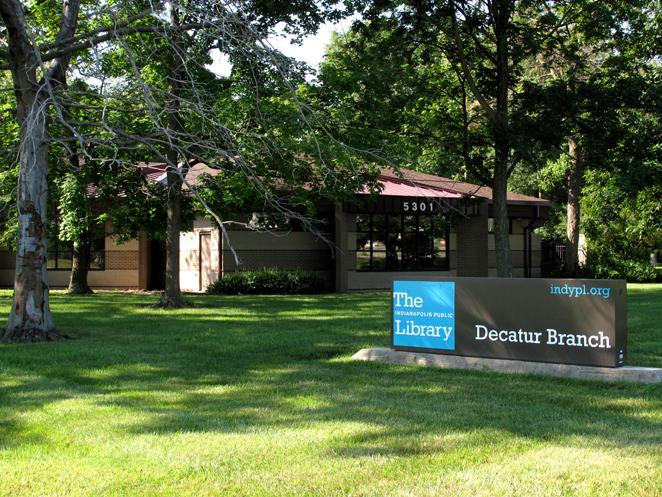
Decatur was the first township outside of Center Township to receive a branch library when the Marwood Branch opened in 1967 in a storefront location. Strong library usage throughout the township demonstrated the need for a new 11,300-square-foot branch that opened on Kentucky Avenue in 1990 as the Decatur Branch and continues to serve the community today.
